Visualization
In this tutorial:
open dataset
rotate views
plot profile
crop views
clip traces
Open dataset
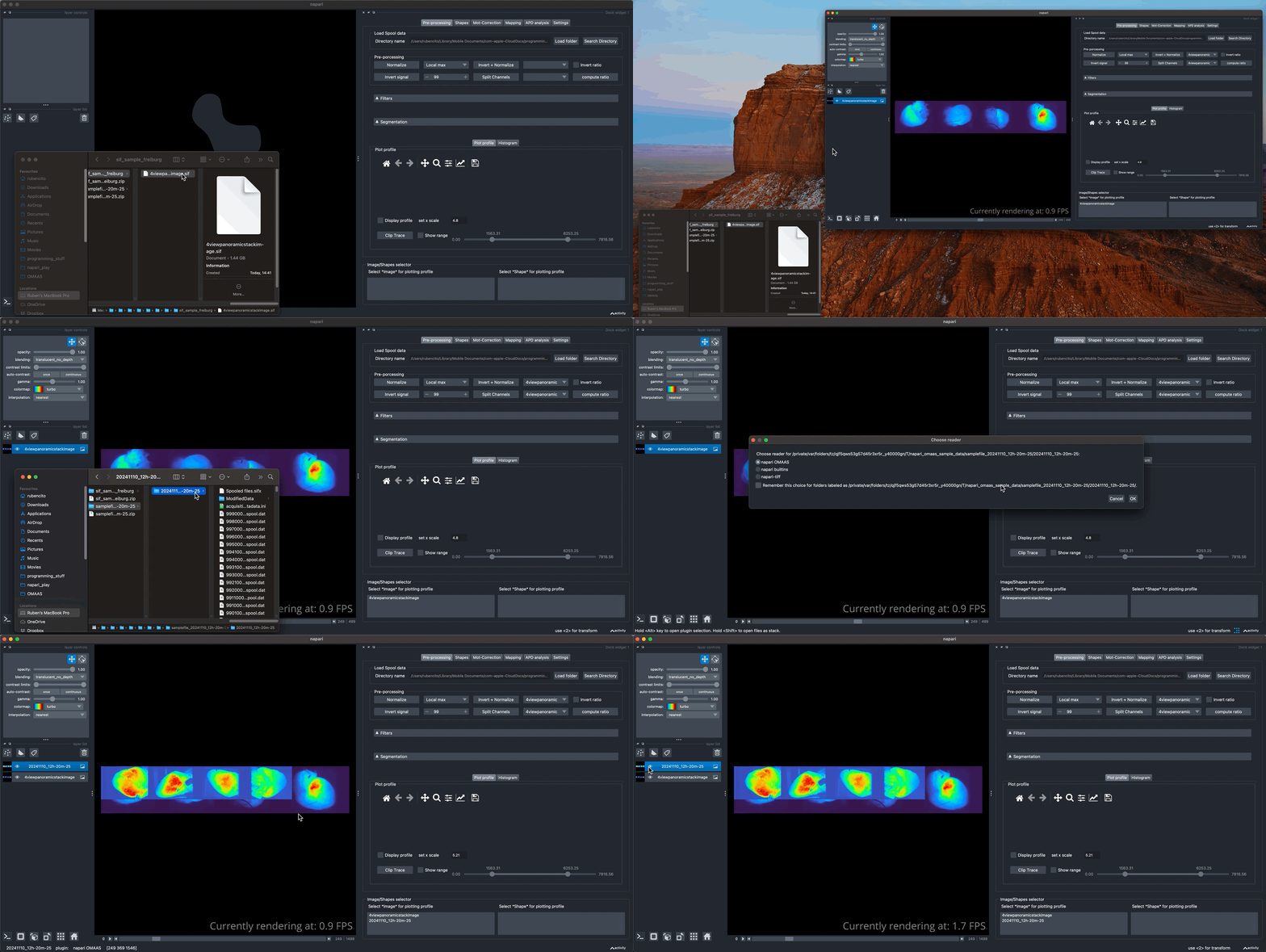
Simply drag and drop a .sif file or a directory containing a spool file dataset to the napari viewer.
Rotate and rearrange views
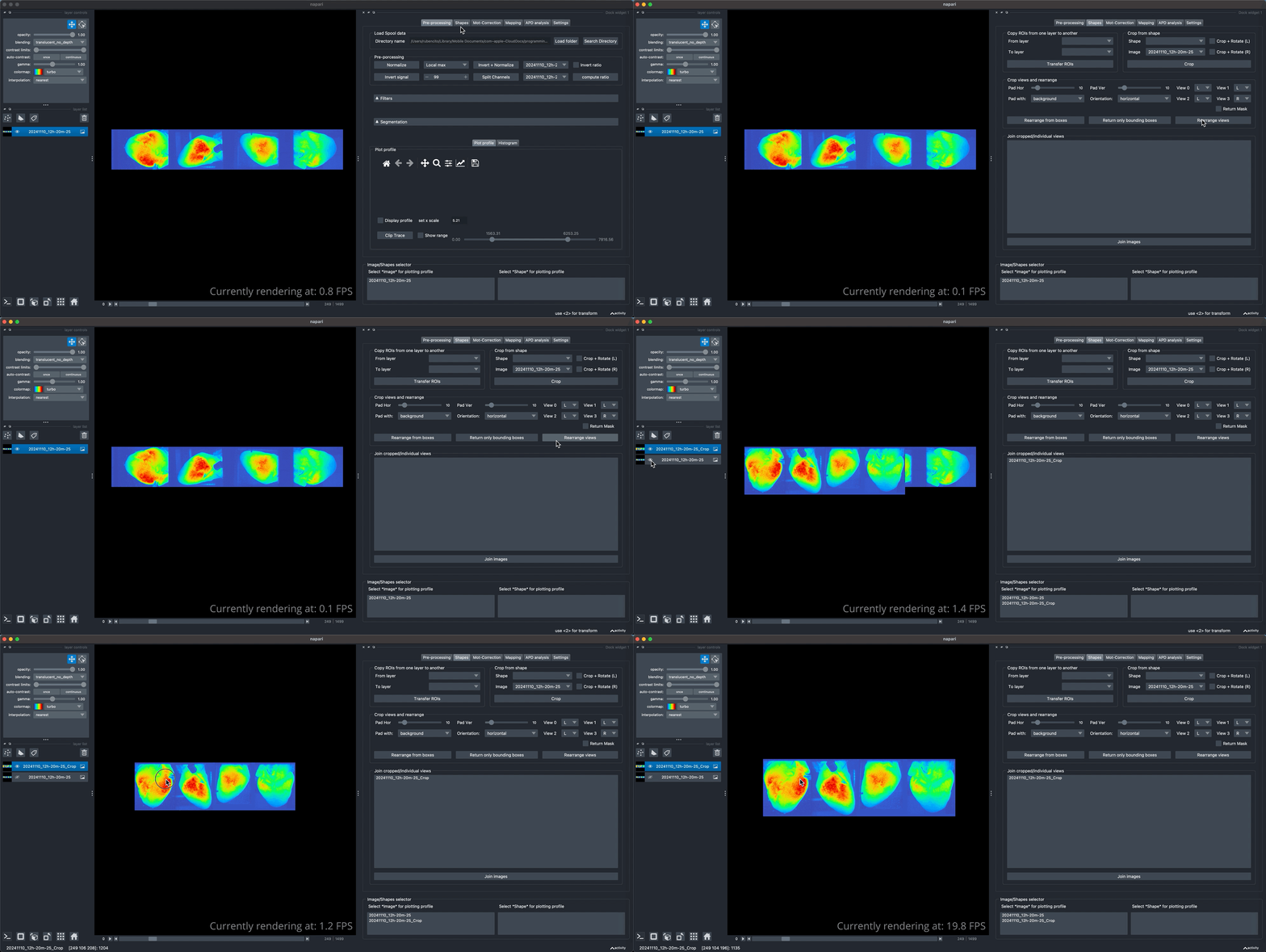
You can rotate and rearrange the different views of the current image as shown bellow.
Crop and rotate
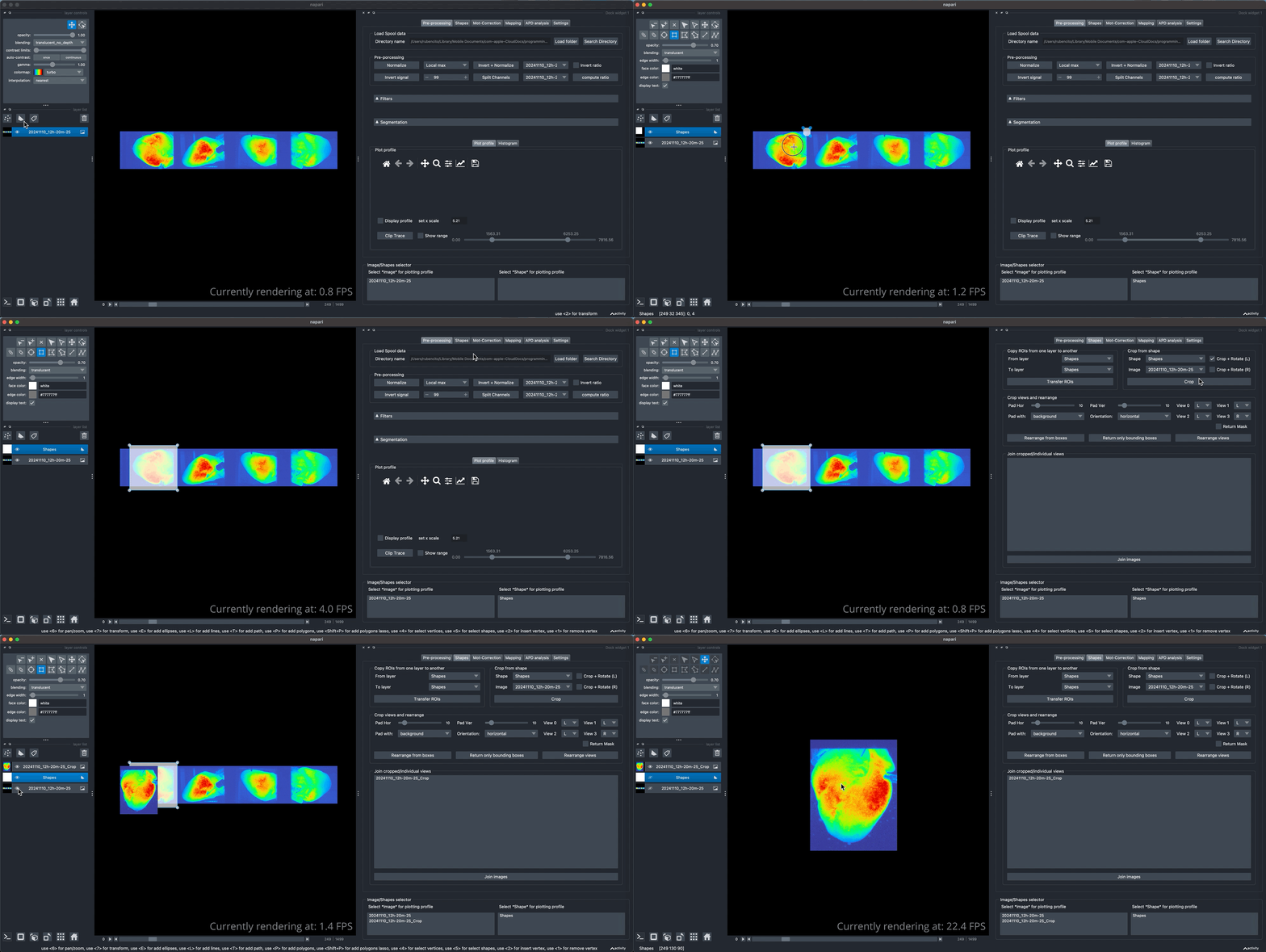
let’s take the original image withouth rearranging. If you wish to take only one view for analysis (for example the anterior view), you can draw a ROI and crop that image off the rest of the view. You can also rotate the image 90 degrees to the right or the left in the same step.
Plot profile
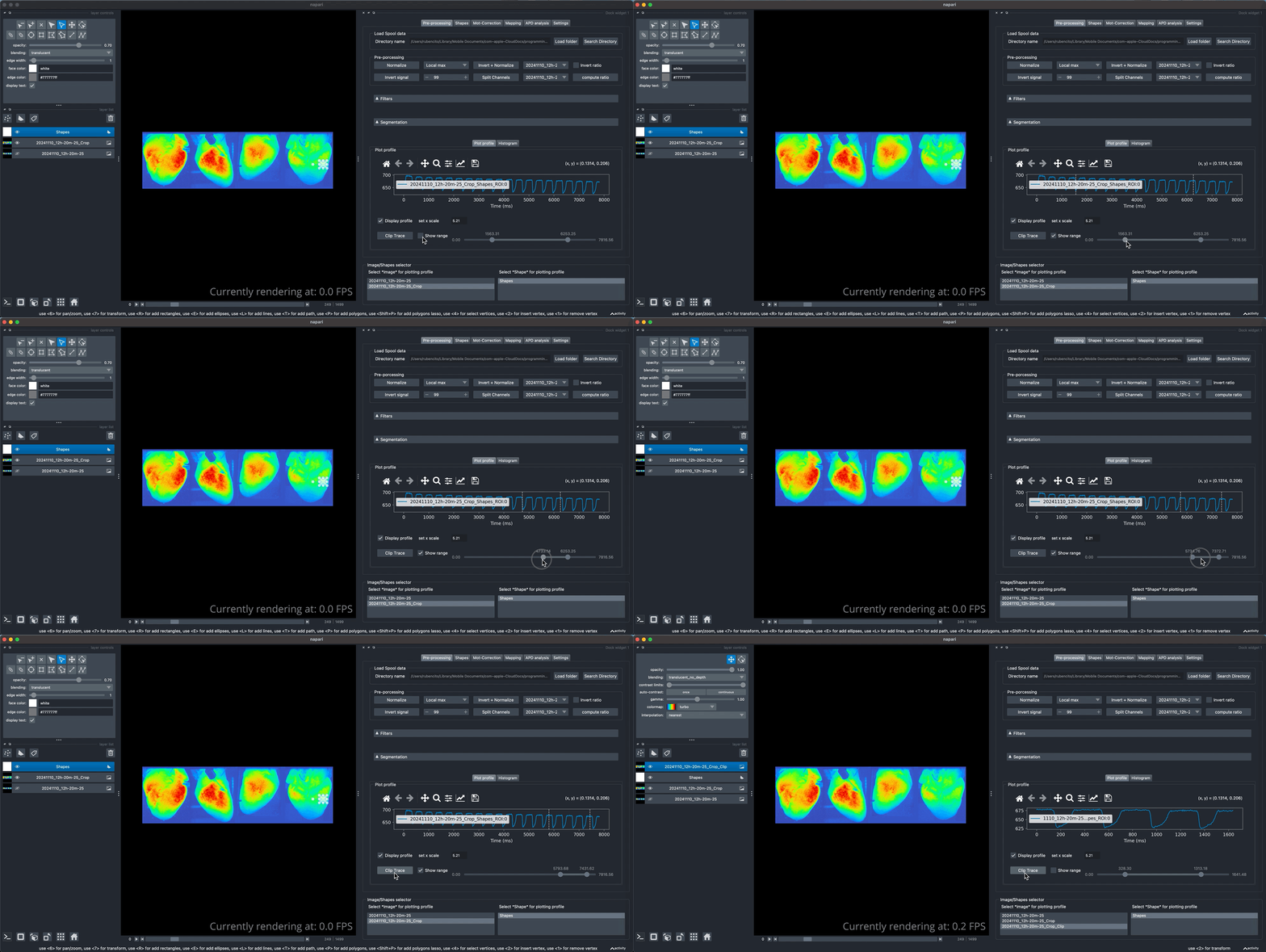
To plot the average fluorescence values of a given ROI, create a shape first and hover around as shown in the next video.
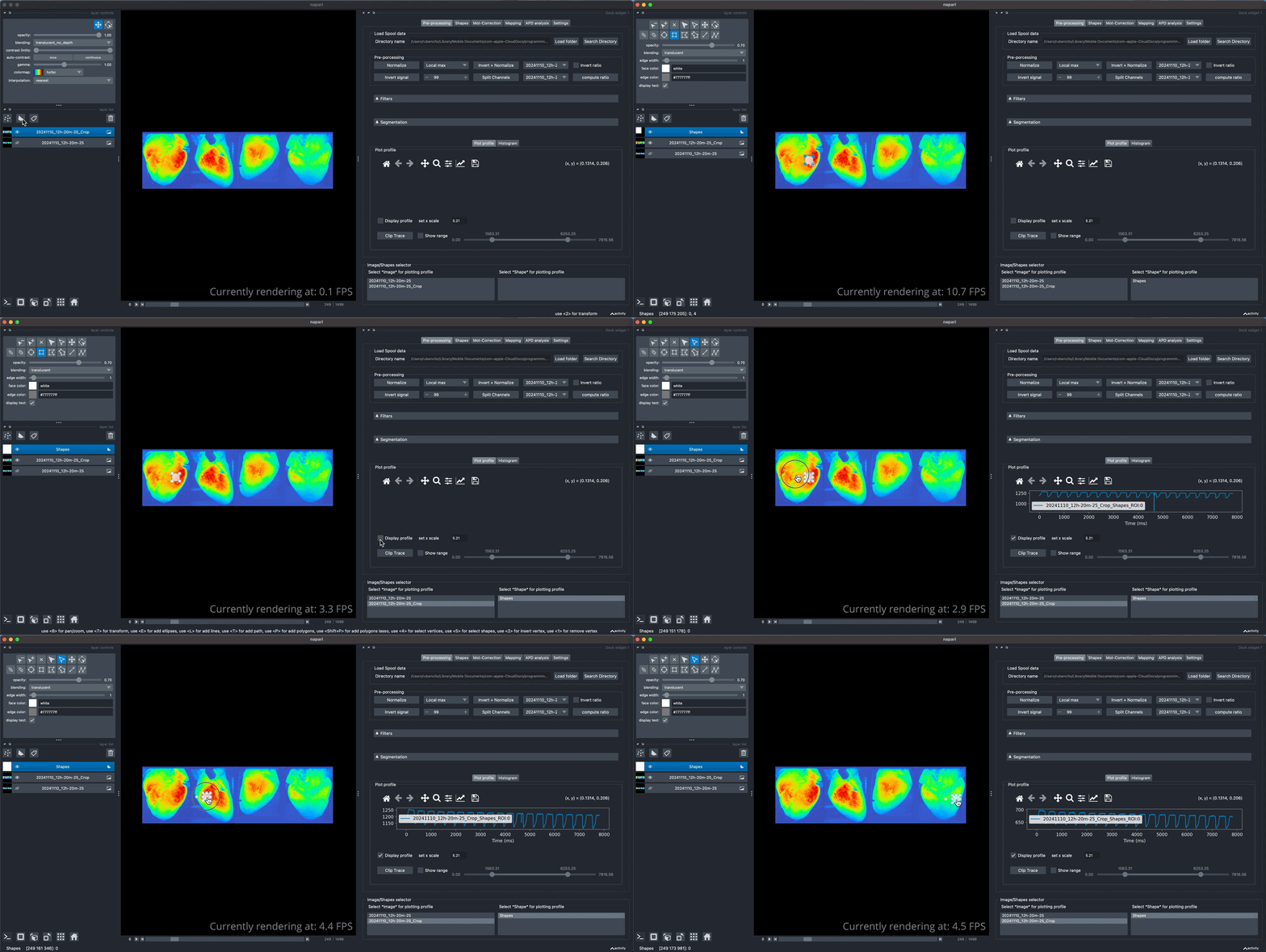
You can also plot multiples ROIs simultaneusly and see their fluorescence signal profiles.
Clip trace
If you wish to clip only a segment of the full dataset, e.g few seconds or few cardiac cycles, you can use the clipping functionality.